keyboard_arrow_down Payroll Integration

Payroll Integrations

Simplify Payroll With Time Clock Integration

Virtual TimeClock helps businesses track employee time accurately, review hours before payroll, and transmit payroll-ready data to many popular payroll services.

Find Your Payroll Provider
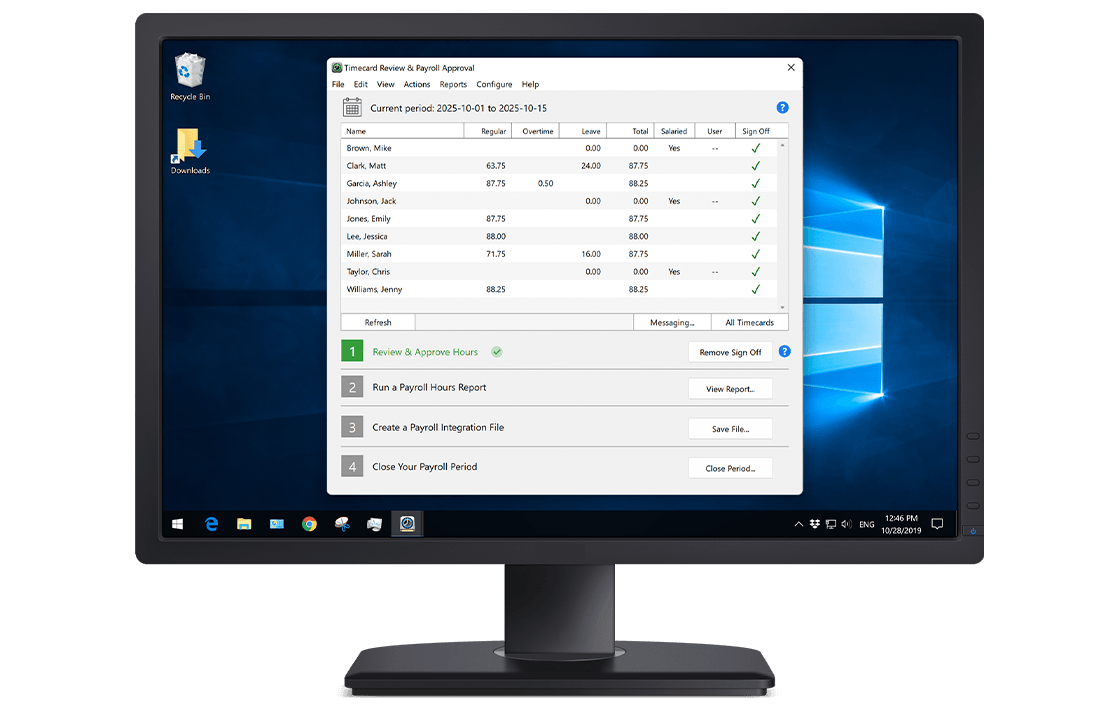

Payroll Integration Hero Image

How Integrations Work

From Time Tracking to Payroll in Three Easy Steps

1 Track Time

Capture employee hours accurately with easy-to-use time clock software for Mac or Windows computers.

2 Review Hours

Review and approve timecards, totals, overtime, and PTO before payroll is processed.

3 Export for payroll

Transmit approved time data into your payroll workflow with less effort and more confidence.

Supported Payroll Integrations

Explore how Virtual TimeClock seamlessly integrates with your payroll provider.

Account Edge Logo

Account Edge

Simplified time tracking built to integrate with AccountEdge.

ADP Logo

ADP

Eliminate manual entry with payroll-ready transfer to ADP.

CheckMark Logo

CheckMark

Increase payroll accuracy by exporting to CheckMark.

Gusto Logo

Gusto

Automate your payroll workflow with easy Gusto exports.

Paychex Logo

Paychex

Automate time data exporting directly to Paychex.

PayChoice Logo

PayChoice

Export hours to PayChoice for one-click payroll.

Paylocity Logo

Paylocity

Transfer timecards to Paylocity with easy exports.

QuickBooks Logo

QuickBooks

Transmit worker time to QuickBooks for processing.

SurePayroll Logo

SurePayroll

The easy way to input your time data into SurePayroll.

Contact us if your payroll provider is not listed. Your payroll software may be compatible with an existing integration format.

Why businesses choose Virtual TimeClock to track time for payroll

Preparing payroll should not require re-entering employee hours by hand. Virtual TimeClock helps businesses organize payroll-ready time data, reduce mistakes, and streamline the path from time tracking to payroll processing.

Export employee hours for supported payroll services and software.

Reduce payroll mistakes caused by manual entry.

Review and approve hours before payroll is processed.

Keep time records organized with dependable desktop software.

Trusted by 20,000+ Companies

Real feedback from employers who rely on Virtual TimeClock for accurate, hassle-free payroll.

★★★★★

“Great investment! It is easy to track employee timesheets, I really like the rounding function. We round to the quartet hour and find this very effective.”

Nikki B.

Hospital and Health Care, 11-50 employees

How Virtual TimeClock Works

Virtual TimeClock uses your computer to create a reliable, easy-to-use time tracking system with payroll-ready time data that transmits to many popular payroll systems. Discover why it is the trusted choice for employee time clock software with a one-time purchase and no monthly fees.

Learn More About Virtual TimeClock
Info Image

Editions

Find the right Virtual TimeClock edition for your particular business size, workflow, and number of users.

Compare Editions

Features

See how Virtual TimeClock helps businesses manage employee time, overtime, leave, and approvals.

Explore Features

Purchase

Simple, transparent pricing with a one-time purchase for a perpetual Virtual TimeClock license.

Visit the Store

We’re Here To Help Simplify Your Payroll.

Our friendly, California-based team is here to answer questions, provide a personalized demo, or help you set up a Virtual TimeClock free trial configured to work with your payroll system.

Call us weekdays 8-5 Pacific (559) 434-8544. Drop us a note anytime. We'll reply promptly.


Help Image

Frequently Asked Questions

Frequently asked questions about Virtual TimeClock features:

All trademarks, registered trademarks, and service marks of the above payroll companies belong to their respective holders. Redcort Software Inc. is not affiliated with the above companies in any way.