Virtual TimeClock 2026 Summertime Checklist
Get Ready for Summer 2026
The summer season brings a unique set of challenges for businesses: seasonal hires, intern onboarding, and a steady stream of vacation requests all arriving at once. Keeping everything running smoothly takes the right tools and a little planning ahead.
Virtual TimeClock is built to handle exactly that. From tracking hours for temporary staff to managing time off, here's a quick checklist to help you get the most out of your time clock this summer.
Add & Onboard Summer Employees with Ease
Summer often means new faces on the team. Whether you're bringing on part-time staff, interns, or volunteers, getting them set up in Virtual TimeClock is quick and straightforward. New users can be added and ready to track time in just a few steps, just like your year-round employees.
When the season wraps up, marking those workers as inactive keeps your active user list clean without losing any of their timecard history. And if they come back next year, reactivating their profile takes only a moment, so you're not starting from scratch.
Stay on Top of Vacation & Time Off Tracking
With more employees taking time off during the summer, now is a good time to make sure your leave settings are ready to go. Take a moment to review your leave categories and awards to confirm everything is set up correctly for all users heading into the busy season.
Virtual TimeClock's leave reports give you a clear picture of vacation accruals and usage across your team. And because employees can pull up their own leave balances directly, they can check their PTO without having to ask a manager, which keeps things moving for everyone.
Manage Time Off Requests with Powerful Built-in Messaging
Keeping your team informed during the summer rush is easier than ever with Virtual TimeClock's completely redesigned messaging system. Built directly into your time clock, it gives employees and managers a focused, clutter-free way to communicate without juggling extra apps or subscriptions.
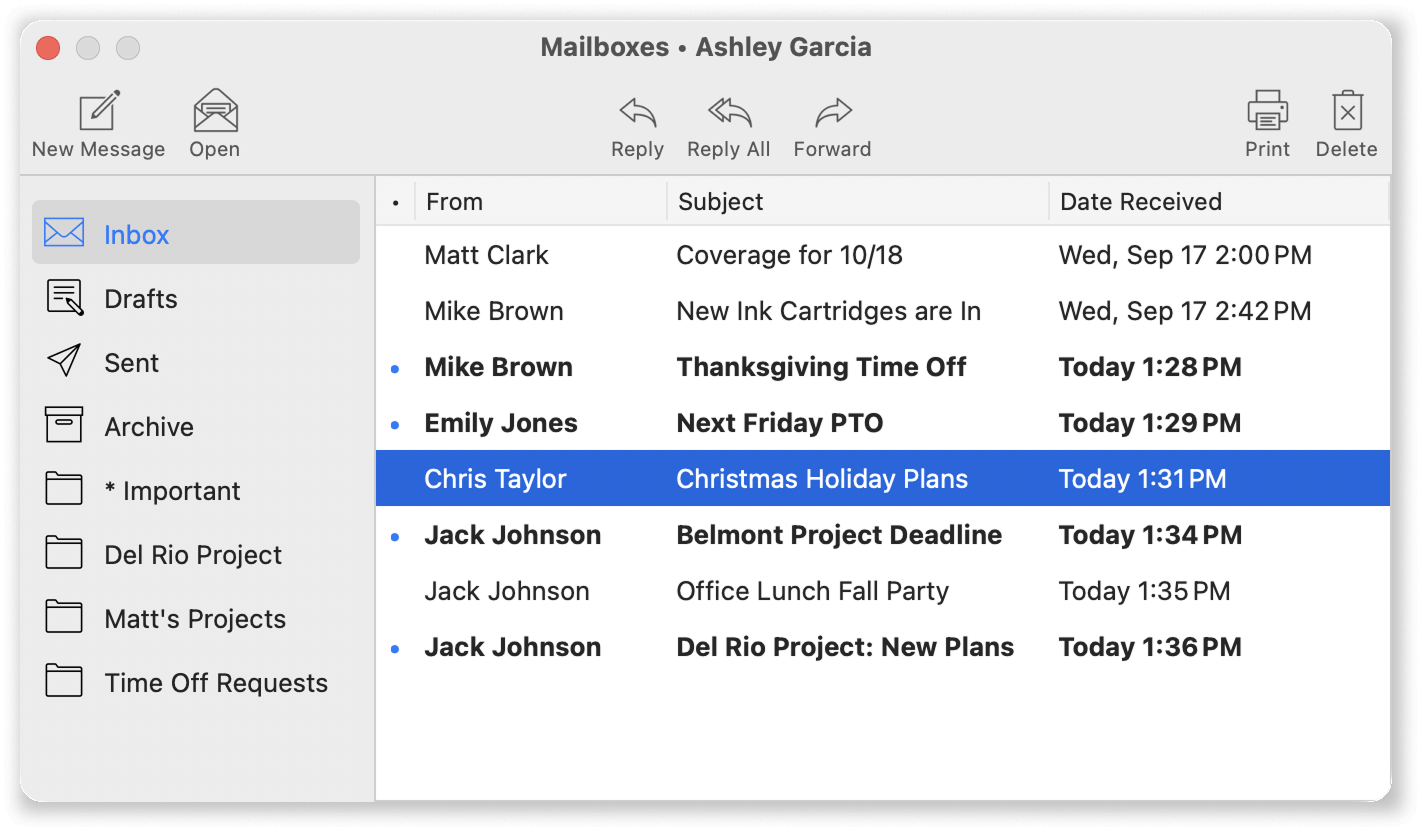
Practical uses for messaging this summer include:
- Submit and track time off requests
- Request timecard adjustments and corrections
- Send company-wide notices and schedule updates
- Share shift reminders and important announcements
New in Virtual TimeClock 25, you can now create custom mailboxes to organize messages by department or request type. Setting up a dedicated folder for summer PTO requests, for example, makes it easy to stay on top of approvals without important messages getting buried. Granular messaging permissions also let admins control who can send and receive messages, so communication stays organized and appropriate for each group.
For a closer look at everything new in messaging, check out our recent posts on powerful new messaging in Virtual TimeClock 25 and staying organized with custom mailboxes.
Do you have questions, or need assistance with configuring Virtual TimeClock or using a particular feature? Reach out to us – We're here to help!