Virtual TimeClock
On-Premise Employee Time Clock Software for Mac and Windows
On-premise time clock software installs on your own computers and keeps your records in your own building. Virtual TimeClock is self-hosted time tracking for macOS and Windows: employees clock in on your machines. Remote locations need internet to reach the server. It’s a one-time purchase: a perpetual license from $95, with no monthly fees.
Quick fit summary
On-premise fits if employees clock in at computers or Windows tablets at your workplace, and you want to own your software and keep your records in-house.
A cloud app fits if your team clocks in from personal phones, needs GPS or geofencing, or wants scheduling and HR tools in one monthly subscription.
What “On-Premise” Actually Means
Most time clock software sold today is cloud software. Employees clock in through a browser or phone app, and every punch travels over the internet to the vendor’s servers. Your timesheets and employee records live in someone else’s data center, behind a subscription login.
On-premise time clock software, also called self-hosted or local, works the other way:
- It installs on your computers. Any Mac or Windows machine can become a full employee time clock.
- Your data stays on your hardware. Hours, attendance history, and reports live on your network, not in a vendor’s cloud.
- It works offline. If the internet goes down, local employees keep clocking in as long as their computers and local network are running. Remote sites need internet to reach the server.
- You control access. Records sit behind your own network, and Virtual TimeClock’s administrator settings decide who can view and edit timecards.
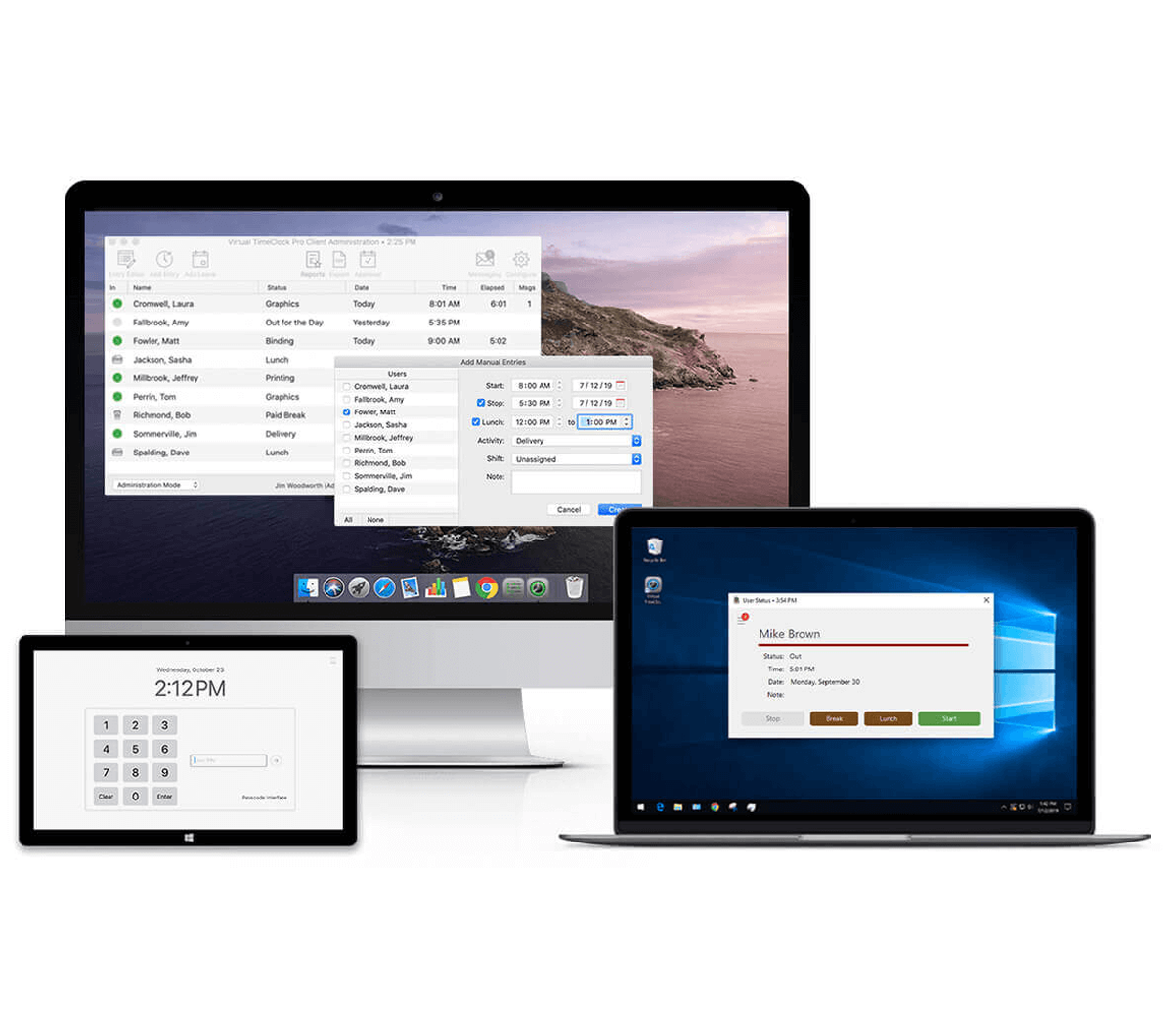
Why Businesses Choose Self-Hosted Time Tracking
Your records stay private
Time records are employment records. Keeping them on your own hardware can satisfy a privacy policy, a client contract, or simple peace of mind. No vendor cloud account holds them, and backups and retention follow your rules.
Outages don’t stop the clock
If your internet connection drops, local employees can keep clocking in as long as their computers and local network are running and local Network clients can reach the TimeClock Server. Clocks at other locations reach the server over the internet, so a remote site needs its connection.
One purchase, no monthly bill
Cloud time clocks bill every month, usually per employee. Virtual TimeClock is a perpetual license you buy once, and ongoing support is optional. See what that saves.
Mac and Windows, natively
Virtual TimeClock is a native app on both macOS and Windows, not a web page in a wrapper. A business might run an iMac at the front desk, a Windows PC in the office, and another station on the shop floor. Network edition connects them into one shared system, with no emulation or remote desktop software.
A Straight Look at the Tradeoffs
On-premise isn’t right for every team. If your team clocks in on-site and you want to own your data and stop paying monthly, on-premise is usually the better tool. If your workforce is mobile, a cloud product fits better.
- No personal-phone app and no GPS. Employees clock in at computers or Windows tablets at your workplace. If your crews clock in from job sites, a mobile cloud app fits better.
- You look after the computers. Your team or IT person handles updates, backups, and the machines themselves. For most small businesses that’s light work, but it’s yours.
- Payroll is separate from timekeeping. Virtual TimeClock calculates hours and prepares payroll-ready reports. Pro and Network export them to the payroll service you already use, including QuickBooks, ADP, Paychex, and Gusto.

Who Uses On-Premise Time Clocks
Self-hosted time tracking makes sense when employee work happens at a central business location. Typical best-fit scenarios are tracking employee time in an professional office, store, warehouse, school, or a retail location like a bakery or automotive dealership. If your team uses a computer or walks past the same computer every morning, that computer can be your time clock.
You'll find that self-hosted time tracking is also highly desired where the record location and retention matters: medical and dental offices, manufacturers and shops, schools, churches, nonprofits, and any business with privacy or uptime reasons to keep employment records in-house..
What Setup Looks Like
- Download the free trial on any Mac or Windows computer. No credit card, no time limit.
- Add your employees and set your overtime, break, and leave rules.
- Employees clock in at the computer with a simple, secure sign-in.
- When the pay period closes, run reports and export payroll-ready hours. No re-keying.
- Add time clocks as you grow. Network edition links stations across your building, or across locations over the internet.
Download Free Trial for Mac and Windows
Try the full software on your own computer. No credit card, no time limit. When you buy, enter your license key and keep working; your trial setup and data carry forward.
Is Virtual TimeClock Right for Your Business?
Our California-based team is glad to answer questions, demonstrate features, or help you install and set up a free trial, without cost or obligation.
Call us weekdays 8–5 Pacific at (559) 434-8544.
Explore Related Virtual TimeClock Features
Discover Virtual TimeClock
Replace manual timesheets, hardware clocks, or expensive subscriptions with reliable desktop software that simplifies payroll.
No Monthly Fees
Own your time clock software. See what a one-time purchase costs compared with a per-employee subscription.
Overtime Controls
Overtime rules and alerts help you manage labor costs and stay compliant with labor laws.
Payroll Integration
Send payroll-ready hours to QuickBooks, ADP, Paychex, Gusto, and other payroll systems without re-keying.
Employee Self-Service
Employees review timecards, check balances, and manage requests, which cuts your administrative work.
Get a Free Trial
Download the fully functional Virtual TimeClock for Mac or Windows. See why over 20,000 businesses have trusted it.
See more Virtual TimeClock features that can save you time and money.
On-Premise Time Clock FAQ
Common questions about self-hosted time clock software for Mac and Windows.
Time tracking software that installs on your own computers instead of running in a vendor's cloud. Employees clock in on your Mac or Windows machines, and all records are stored on your hardware.
Yes. Self-hosted, on-premise, and local all describe software you run on your own equipment instead of renting access in the cloud. Virtual TimeClock is all three.
Yes. Clock-ins, reports, and payroll exports run on your local computers and local network, so they keep working through an internet outage. Time clocks at other locations connect to your main system over the internet, so a remote site needs its connection.
Yes, with Network edition. Time clocks at other locations connect to your main system over the internet, either directly using port forwarding on your router or through a VPN, which many small businesses already use. Network is priced by the number of time clock stations, not by employees.
Yes, natively. It runs on macOS and Windows, and Network edition can mix Mac and Windows time clocks in one system.
Last updated November 16, 2026