Virtual TimeClock
Employee Time Clock Software Without Monthly Fees
Track employee time accurately with reliable time clock software for Mac and Windows. Virtual TimeClock helps businesses simplify time tracking, reduce payroll errors, and stay in control with a one-time purchase.
Try Virtual TimeClock Free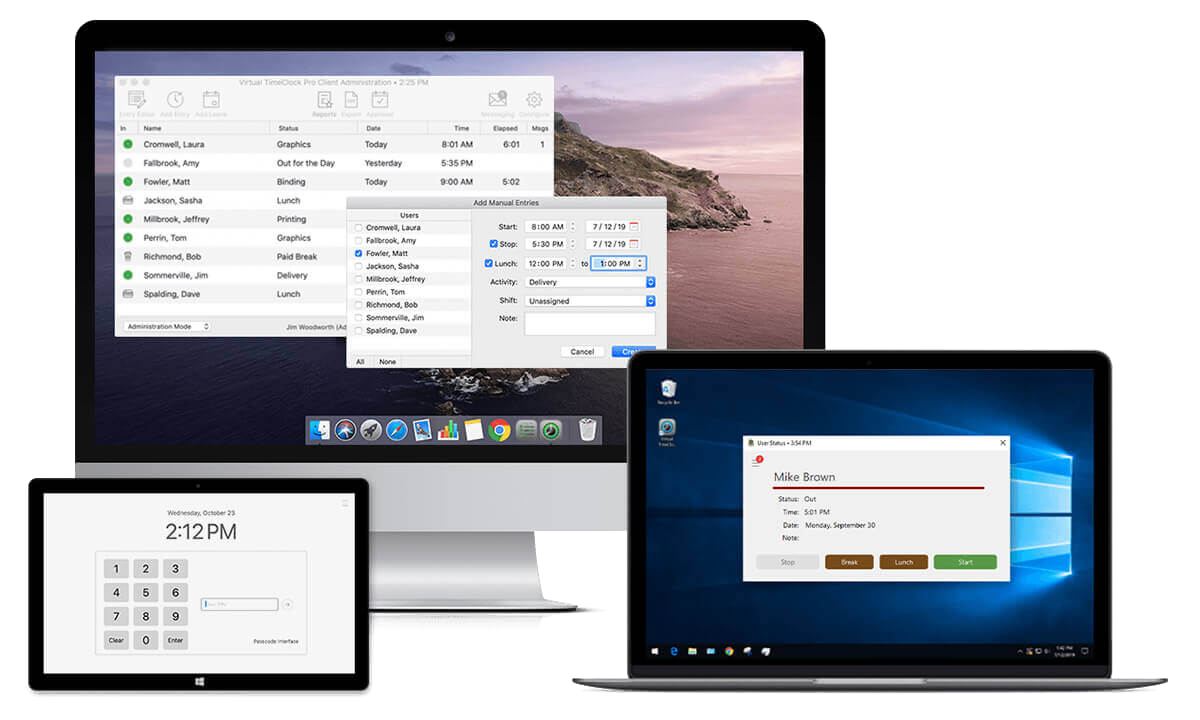
Experience
Trusted Since 1986Adoption
Over 1 million usersReviews
Rated 4.8/5 on CapterraPricing
One-time purchaseHow Virtual TimeClock Works
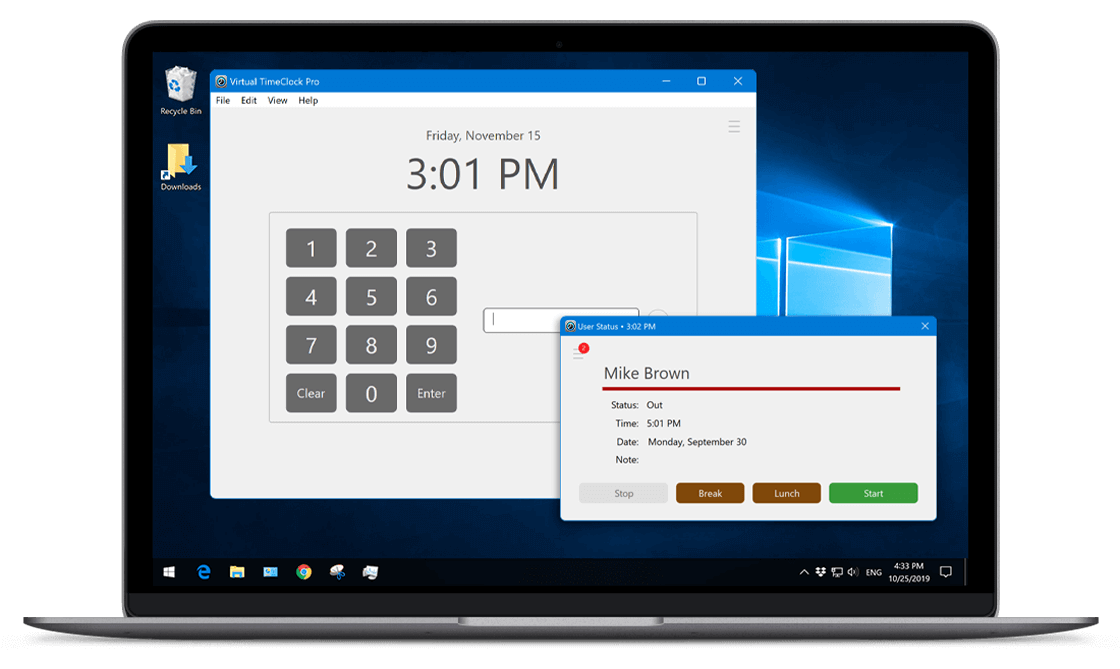
Discover how Virtual TimeClock transforms your Mac or Windows computers into a reliable employee time clock system. See why businesses choose it for accurate time tracking, simple setup, and no monthly fees.
Learn More About Virtual TimeClock chevron_right
Editions
Compare Virtual TimeClock editions to find the time tracking solution for your team and workflow.
Compare Editions chevron_rightFeatures
See how Virtual TimeClock makes it easy to track your employee hours, overtime, PTO, and leave.
Explore Features chevron_rightPayroll
Learn how Virtual TimeClock flows into your payroll to eliminate manual entry & improve accuracy.
Payroll Integrations chevron_rightQuestions?
We're Here to Help
Our friendly, California-based team is eager to answer your questions, demonstrate features, or help you install and set up a Virtual TimeClock free trial on your computers.
 Call us weekdays 8-5 Pacific (559) 434-8544
 Drop us a note anytime. We'll reply promptly

Download the fully functional employee time clock software trusted by over a million users. No credit card required and no obligation!
Trusted by over 20,000 companies
Real feedback from businesses using Virtual TimeClock to simplify their daily payroll.
"We just started with the Virtual TimeClock a month ago. The employees were very skeptical about using the computer for their time card. After using the software for a month, no one wants to use a time card anymore. It has saved me at least a couple of hours each time I process payroll. It was very easy from the very start. It works as intuitive as all the Mac products we use in the office."
Michael R. Denning, D.D.S.
Shippensburg, PA
"Virtual TimeClock has been the perfect solution for our small business. It's easy for the employees to use, easy for us to administer, and the reporting is great!"
Jocelynb S.
Farming, 11-50 Employees
The Leader in Employee Time Tracking Since 1986
From early Macintosh development to today’s modern employee time tracking solutions, Redcort has spent decades building and refining Virtual TimeClock for businesses that value accuracy, reliability, and control.
-
1986
First Mac Time Clock Software
Redcort founder Keith DeLong developed one of the first commercial employee time clock software solutions for Apple’s new Macintosh computers. Early customers in California replaced manual timecards with software that recorded punches, calculated hours worked, and totaled overtime more efficiently.
-
1994
Time Clocks in Living Color
As color Macintosh computers became more common in professional workplaces, demand for employee time tracking continued to grow. The first paid upgrade added new time and attendance features and brought the software experience to color displays.
-
1996
Virtual TimeClock Goes Online
The Virtual TimeClock brand was established as the software was packaged for broader business use and offered for sale online. In its first three months, more than 25,000 businesses downloaded it, accelerating Redcort's growth across the United States.
-
1997
Redcort Software is Born
The team behind Virtual TimeClock formally organized as Redcort Software & Development. By the early 2000s, the company had rebranded as Redcort Software and shifted from consulting to a full focus on publishing and supporting Virtual TimeClock.
-
1998
Virtual TimeClock 2.0
Virtual TimeClock 2.0 was released online for Mac businesses worldwide. The update added customer-requested features including semi-monthly payroll support, historical timecards, and integrated backup capabilities.
-
1999
Virtual TimeClock Moves to redcort.com
Redcort Software registered the redcort.com domain on August 20, 1999, and launched its new website by year’s end. The site became Redcort’s central hub for marketing, selling, and supporting Virtual TimeClock worldwide from Fresno, California.
-
2000
Virtual TimeClock Pro
Virtual TimeClock Pro debuted as a fully rewritten 3.0 release with dozens of advanced time and attendance features. Built on a SQL database, it enabled businesses to run Virtual TimeClock across multiple computers on a local network.
-
2001
Virtual TimeClock Goes Cross-Platform
Virtual TimeClock Pro 4.0 marked a major milestone with support for multiple operating systems. Businesses could now run Virtual TimeClock on Microsoft Windows PCs, Apple’s new Mac OS X systems, and legacy Mac OS 9 computers.
-
2002
Custom Reporting Arrives
The new Timecard Report Writer gave businesses a powerful but easy-to-use way to customize reports. Users could generate an unlimited number of time and attendance reports for employees, departments, and activities.
-
2003
Employee Leave Tracking
Virtual TimeClock added tools to track vacation, sick leave, holidays, and personal time throughout the year. A new Accrued and Used Leave report gave employees and managers quick access to leave accruals, usage, and current balances.
-
2004
Web-Connected Time Tracking
Virtual TimeClock Pro 5.0 introduced a modern TCP/IP client-server architecture that connected multiple business locations over the Internet. The update gave business owners more flexible remote access to time clocks and timecard data.
-
2005
Virtual TimeClock Goes Global
With support for international operating systems, Virtual TimeClock expanded into dozens of countries around the world. New export tools and payroll connectivity helped businesses move employee hours and overtime more easily from timecard to paycheck.
-
2006
Backup and Restore Improvements
Virtual TimeClock added new tools for manual and scheduled backups, making it easier to protect time clock data. A new restore feature simplified moving the software to a new computer, while Report Writer enhancements expanded customization options.
-
2007
More Flexible Time Tracking
Virtual TimeClock introduced paid break tracking, free-form timecard notes, and enhanced activity logging. These additions gave businesses better tools for recording work details while strengthening security and accountability.
-
2008
Enterprise-Ready Time Tracking
Redcort began a major rewrite of Virtual TimeClock to integrate an enterprise-capable SQL database engine. This investment laid the groundwork for larger deployments and a seamless upgrade path for existing customers.
-
2009
Display Groups and Advanced Controls
Virtual TimeClock introduced Display Groups, enabling businesses to configure individual time clocks for specific groups of employees. The release also expanded overtime, leave, and reporting controls for more complex workforce management.
-
2010
Payroll Integration and Smarter Scheduling
Virtual TimeClock expanded its payroll integrations while adding new shift rules, schedules, and enhanced overtime controls. These improvements gave employers better tools for managing employee time, labor costs, and payroll accuracy.
-
2011
Shift Rules and Late Arrival Reporting
Virtual TimeClock added shift rules and employee scheduling tools to help employers control time clock use more effectively. A new Late Arrival report made it easier to monitor attendance issues and reduce unauthorized overtime.
-
2012
Payroll, Privacy, and User Security
Virtual TimeClock 12 delivered nearly 100 new features and a redesigned user experience. The release added new payroll integrations, introduced the Virtual TimeClock User Client, and strengthened privacy on shared time clocks with PIN and passcode options.
-
2013
Overtime Rules and PDF Exports
Virtual TimeClock added support for 6th and 7th day overtime rules, giving employers more flexibility in managing pay policies. New PDF export and editing tools also made timecards and reports easier to deliver, update, and manage.
-
2014
Full Screen Mode and Time Sync
Virtual TimeClock 14 introduced a more modern, streamlined user experience. A new full screen mode improved usability on touch devices, while NTP support enabled more accurate timestamps using qualified internet time servers around the world.
-
2015
Electronic Approval and Stronger Security
Virtual TimeClock introduced an all-new timecard approval system for employees, managers, and payroll staff. The release also strengthened security with updated password rules, encrypted databases, and TLS-encrypted network connections.
-
2016
Missed Punch Detection and Lunch Rules
Virtual TimeClock introduced automatic missed punch prompts to help managers quickly identify and correct common timecard issues. New lunch rules helped employers manage overtime costs and support compliance with state and federal labor requirements.
-
2017
Leave, Networking, and Automatic Updates
Version 18 introduced several highly requested improvements, including leave award caps, faster access to common tasks, and a redesigned network login with secure end-to-end encryption. Automatic software updates also made it easier for customers to stay current.
-
2018
ADP Workforce Now® Integration
Quarterly updates throughout 2018 introduced several customer-focused improvements, including payroll integration with ADP Workforce Now® and easier Network Edition setup. Refreshed interfaces and more than two dozen bug fixes also improved the overall user experience.
-
2019
64-Bit Performance and Modern Interface
Virtual TimeClock 19 was completely rebuilt on a new 64-bit architecture for improved performance and efficiency. The release also added sharper HiDPI graphics, support for macOS Dark Mode, and a more secure Kiosk Mode for shared time clocks.
-
2020
64-Bit Updates and COVID-19 Support
Redcort delivered updates early in the year and again in the spring to further enhance Virtual TimeClock’s 64-bit applications and add compatibility with macOS Catalina. During the COVID-19 pandemic, the team also helped customers deploy time clocks for contactless use and remote access.
-
2021
Remote Work and Windows 11 Support
Virtual TimeClock was updated midyear to support Microsoft Windows 11. Redcort also introduced security and networking enhancements for employees and managers working from home while continuing to help customers adapt to ongoing timekeeping challenges.
-
2022
Easier Timecard Management
Virtual TimeClock 22 introduced new administrative tools that simplified reviewing timecards for payroll and correcting missed clock-outs. The release also added support for QuickBooks 2022, Windows Server 2022, and Apple’s macOS 13 Ventura.
-
2023
Modern Time Tracking and Smarter Controls
Virtual TimeClock 23 introduced dozens of enhancements, including daily paid break limits, default times for manual entries, and updated lunch rules. The release also delivered a refreshed user experience while maintaining compatibility with the latest Windows and macOS technologies.
-
2024
Payroll Integrations and Customer Enhancements
Virtual TimeClock 24 introduced new payroll integrations for QuickBooks Online®, Gusto® Payroll, ADP Run®, and Paylocity® Payroll, along with a major update for Paychex Flex® payroll. More than 30 customer-requested enhancements also improved reliability, usability, and the flow from timecard to paycheck.
-
2025
New Team Communication Tools
Virtual TimeClock 25 introduced an updated and expanded team messaging system designed to make workplace communication simple, organized, and secure. A redesigned messaging interface delivered a familiar email-style experience within a spam-free, work-focused messaging environment.
Why Choose Virtual TimeClock?
Start tracking employee time with confidence
Virtual TimeClock helps businesses track employee time with accuracy and ease, simplify payroll, and avoid recurring subscription costs.
Try Virtual TimeClock Free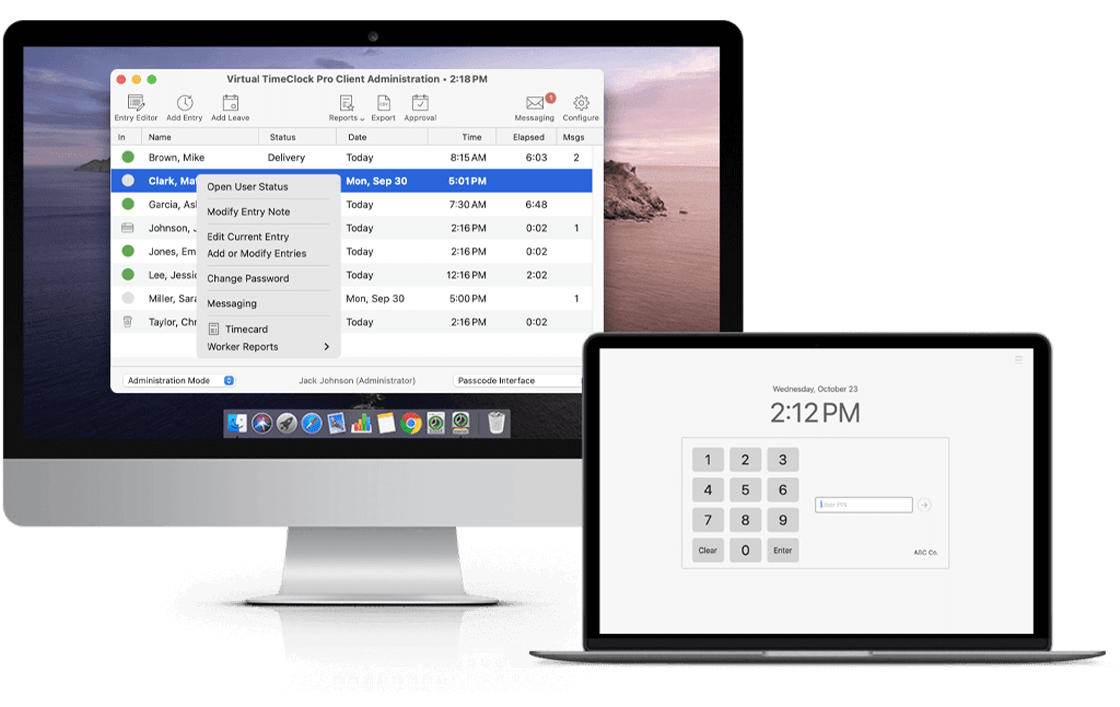
One-time Purchase
Buy once and avoid recurring subscription costs.
Mac & Windows Support
Use the software on the platforms your business already knows.
Trusted since 1986
Built and refined over decades for reliable employee time tracking.