The Time Off Calendar in Virtual TimeClock 26
This post is part of a series about new features in Virtual TimeClock 26.
Virtual TimeClock 26 adds a Time Off calendar. Instead of reading down a list of leave entries, you see who is out, when, and for what, on a calendar.
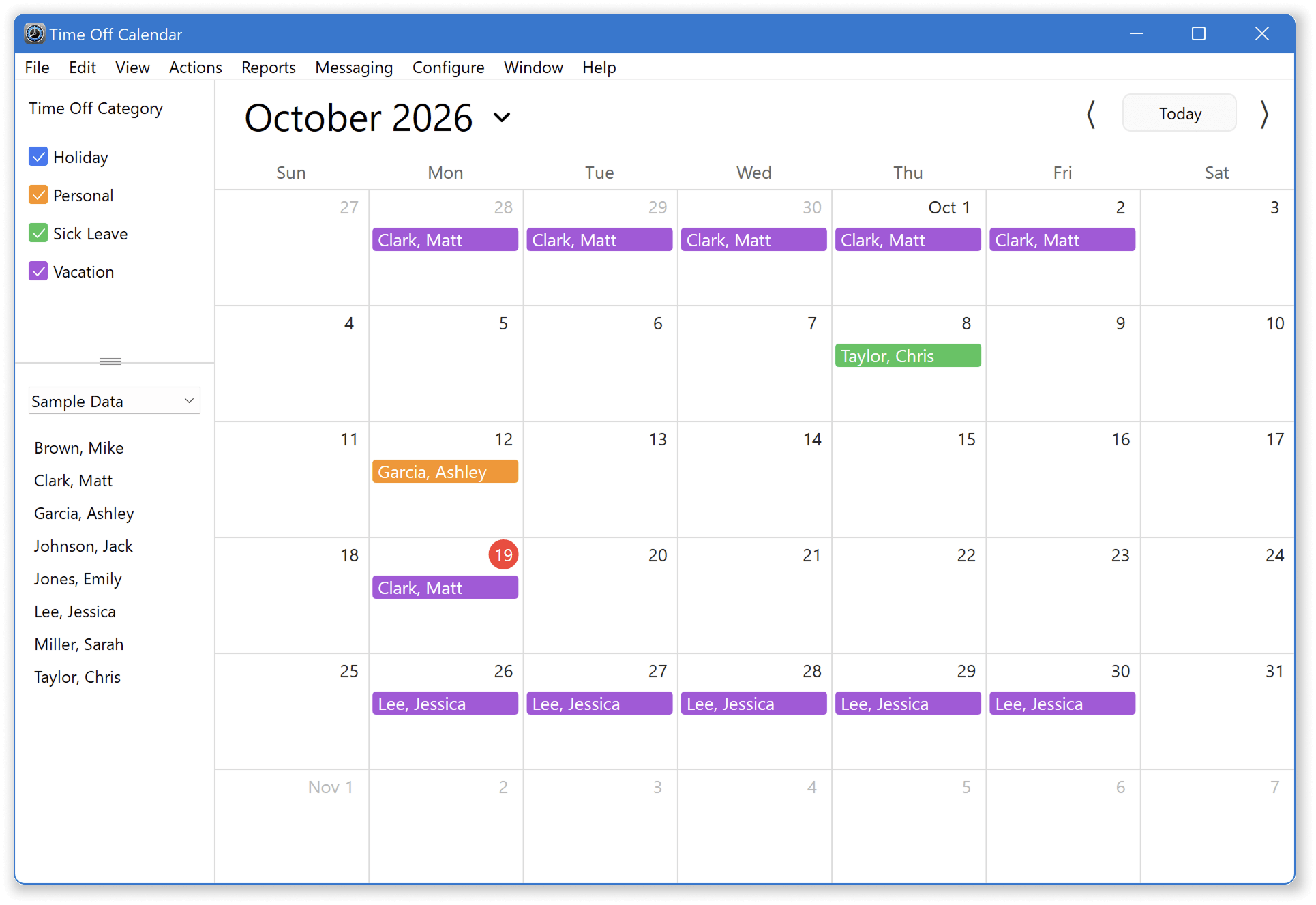
See time off at a glance
Approved time-off entries show on their days, so a week or a month tells you who is available.
Filter to what you need
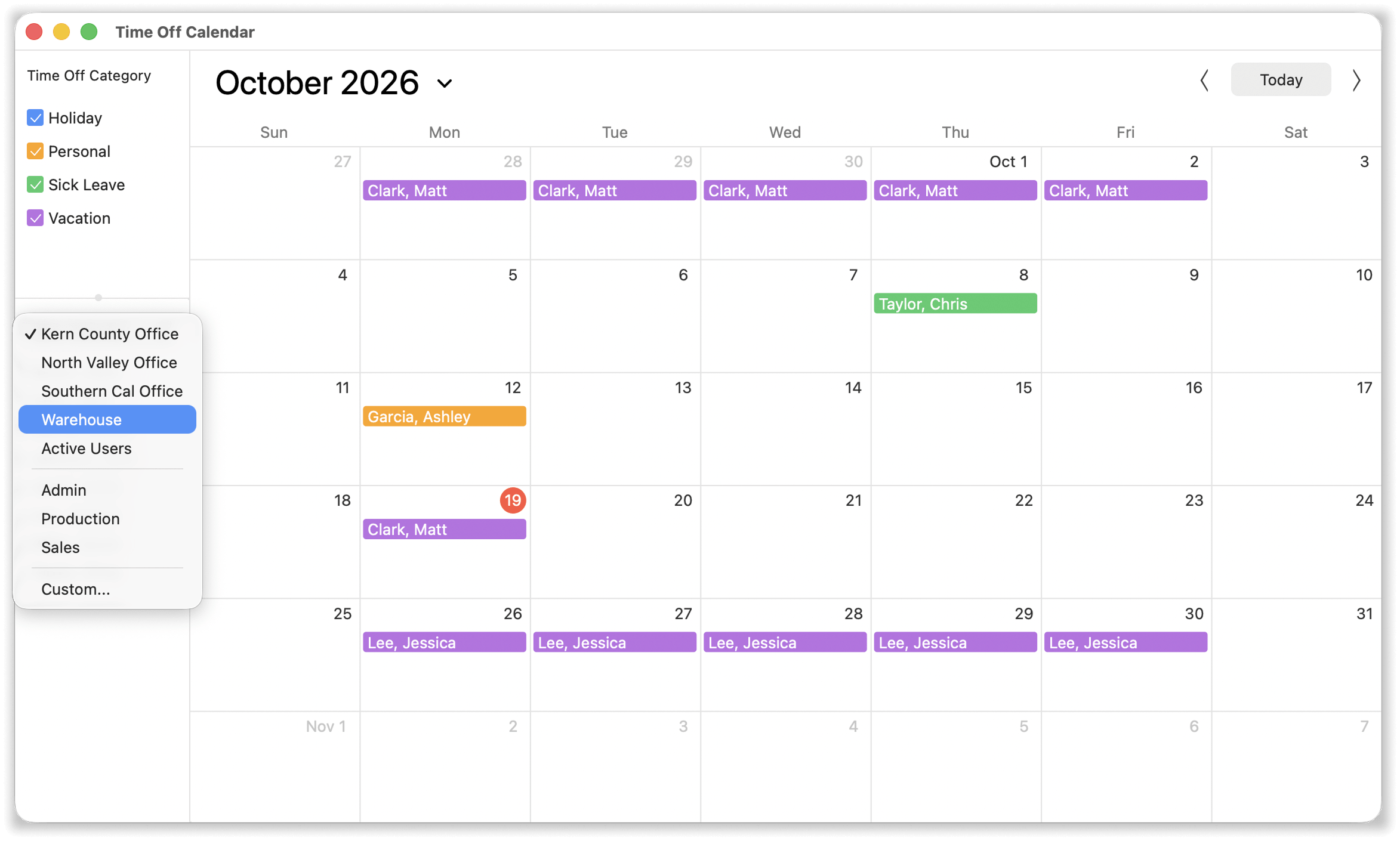
Narrow the calendar by group, department or time-off type. A warehouse manager can look at their department. A payroll clerk can look at vacation only.
Add, edit and delete right on the calendar
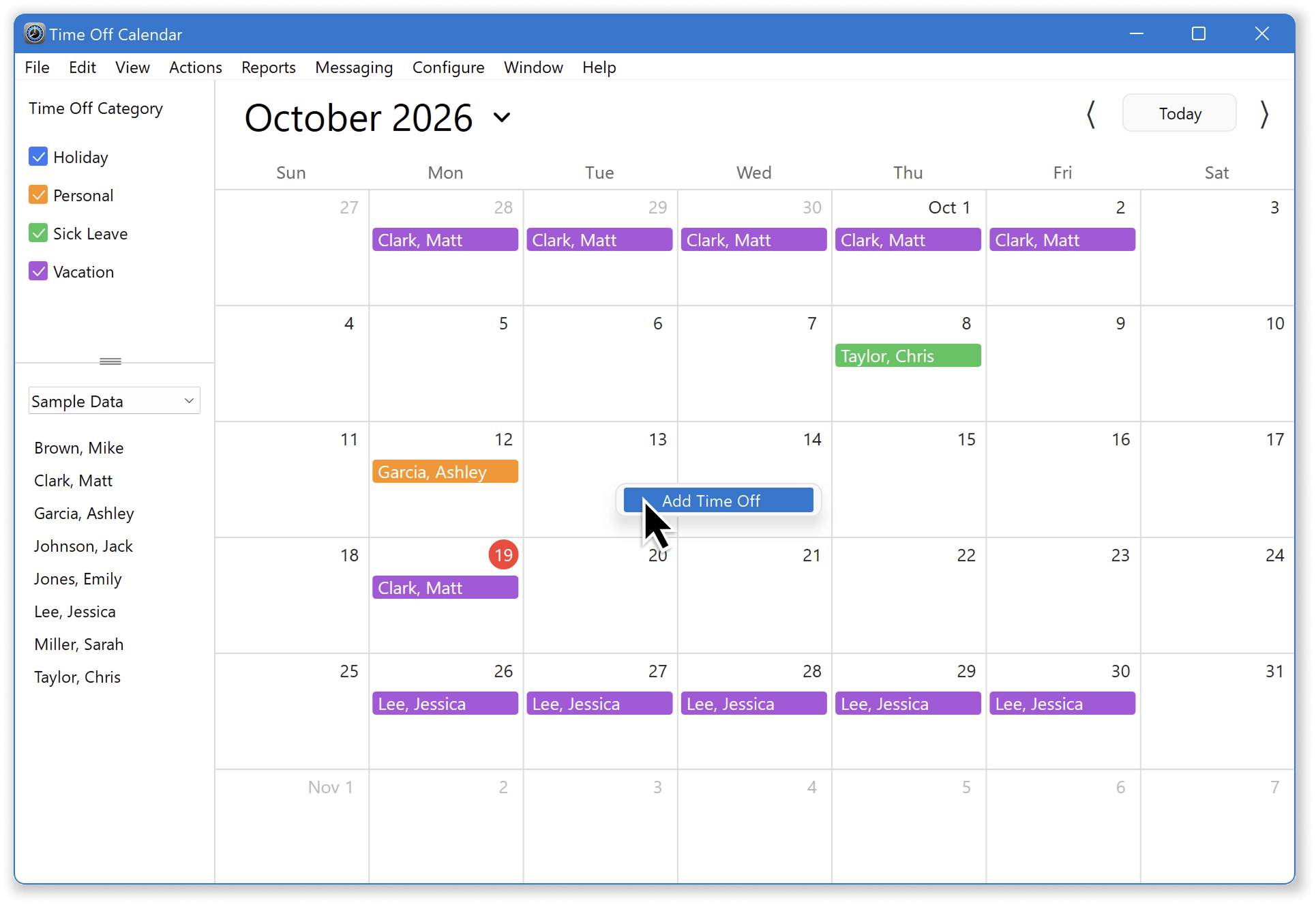
Create a time-off entry, change it, or remove it without leaving the calendar. Multi-day entries remember your skip-Saturday and skip-Sunday choices, so the next one takes fewer clicks.
Why it matters
Scheduling is easier when everyone can see the gaps. A calendar also helps managers answer 'who is covering Friday?' without running a report.
For step-by-step instructions, see the Time Off Calendar article in our Knowledge Base.
Questions?
Our California-based team would love to hear from you or give you a demo. Contact us anytime.
Learn more
Check out Virtual TimeClock or download a no obligation free trial to try out Virtual TimeClock 26 for yourself.