Custom Payroll Integrations in Virtual TimeClock 26
This post is part of a series about new features in Virtual TimeClock 26.
Virtual TimeClock has long connected to popular payroll systems like QuickBooks, ADP, Gusto, Paychex Flex, and Paylocity. Version 26 adds a way to connect to nearly any payroll system, including small and regional payroll providers.
Why we built it
Many customers use a local or industry-focused payroll provider. Rather than continue building one template at a time, we used our decades of payroll integration experience to build a one-page configurator that supports almost any payroll format.
How it works
Open the configurator, map the fields your payroll provider expects, and save the integration. From then on, you export it during Payroll Approval like any other integration.
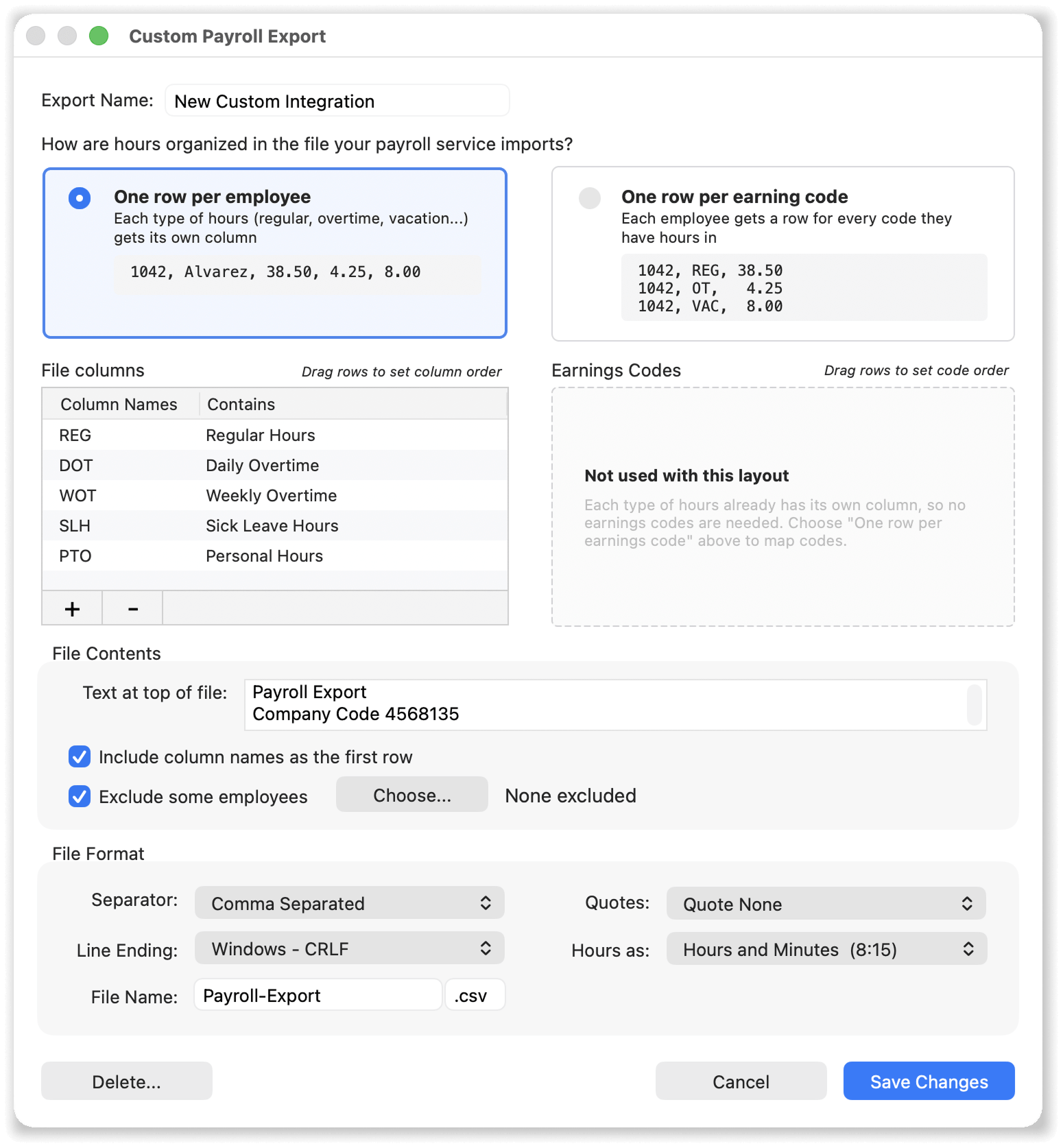
Easy to configure yourself
Quickly setup an integration that matches your payroll provider's import requirements. If you get stuck, we'll help you configure an integration for your provider. Just ask us.
Your current integration keeps working
All of our built-in payroll integrations are still included in version 26. See the Payroll Integration article in our Knowledge Base for the full steps.
Not sure whether your payroll provider is covered?
Contact us. A number of payroll services use a national provider's back end. We can point you to a guide that already works or help you configure a new custom payroll integration for your provider.
Explore Virtual TimeClock
If you're new to Virtual TimeClock, you can learn more or download a free trial to try out Virtual TimeClock 26 for yourself.