Native Time Clock App vs. Web-Based Time Clock: Which Is Better for Your Workplace?

Modern business software is often assumed to mean web-based software. If an app runs in a browser, offers online access, and charges a monthly subscription, it is commonly described and heavily marketed as “modern.” If software runs natively on a Mac or Windows computer, some people incorrectly assume it must be older, less current, or less capable.
But that assumption misses an important point: not every business app belongs in a browser.
An employee time clock is not just another online dashboard. It is a daily workplace tool. Employees use it at the start and end of their shifts. Managers rely on it to review timecards. Payroll depends on the accuracy of the records it produces.
For businesses with mobile crews, remote employees, or managers who need access from anywhere, a web-based or cloud time clock may be the right fit. But for most fixed-location workplaces, a native Mac or Windows time clock can be simpler, clearer, more controlled, and more practical than another browser-based subscription.
Modern software should not be judged only by whether it runs on the web. It should be judged by whether it fits the job.
A time clock is different from a typical web app
Many web apps are designed for individual users working on various computers and devices, logging into their own accounts, and working from different locations. That model works well for email, project management, CRM systems, online documents, accounting dashboards, and many other business tools.
Employee time tracking is often different.
In many workplaces, employees do not need the distraction of a dashboard, a browser login, or a mobile app just to record their time. They simply need a reliable way to clock in when work begins and clock out when work ends. That may happen from a shared workplace computer set up kiosk-style, or from an employee’s own Mac or Windows workstation.
That makes the time clock more like a workplace station than a general-purpose web application.
A receptionist, dental assistant, retail employee, warehouse worker, kitchen staff member, teacher’s aide, or hourly office employee may clock in from a shared computer, a front desk workstation, an office computer, or their own assigned desktop. In that environment, the best time clock solution may not be the most expansive platform. It is often the most practical and dependable daily tool.
Web apps are useful when access from anywhere matters
A Web-based time clock app can be valuable. It is especially useful when employees work from many locations, managers need remote access, or a business wants mobile punching, GPS tracking, geofencing, scheduling, and other workforce-management features.
A cloud system may be the right choice for:
- Field service or delivery teams
- Construction crews
- Multi-location businesses that require centralized web-based management
- Organizations that need mobile clock-ins
- Companies that want scheduling, HR, and payroll tools in one platform
For those situations, a browser-based or mobile-first system can provide real flexibility.
But not every business needs or even wants that kind of cloud-first flexibility for their employees. Some businesses need a time clock that works from designated workplace computers, follows a consistent process, supports managers across locations when needed, and keeps employees focused on a simple task.
For those workplaces, a native desktop time clock deserves serious consideration.
The native app advantage for time tracking
Native desktop software is built to run directly on a specific operating system, such as macOS or Windows. That gives it a different role than a website running inside a browser.
A native time clock app feels like part of the workplace computer. It can be opened, placed, configured, and used as a dedicated business tool, whether employees clock in from a shared kiosk-style station or from individual computers. Employees know where and how to clock in. Managers know where to review timecards. The workflow becomes visible and repeatable.
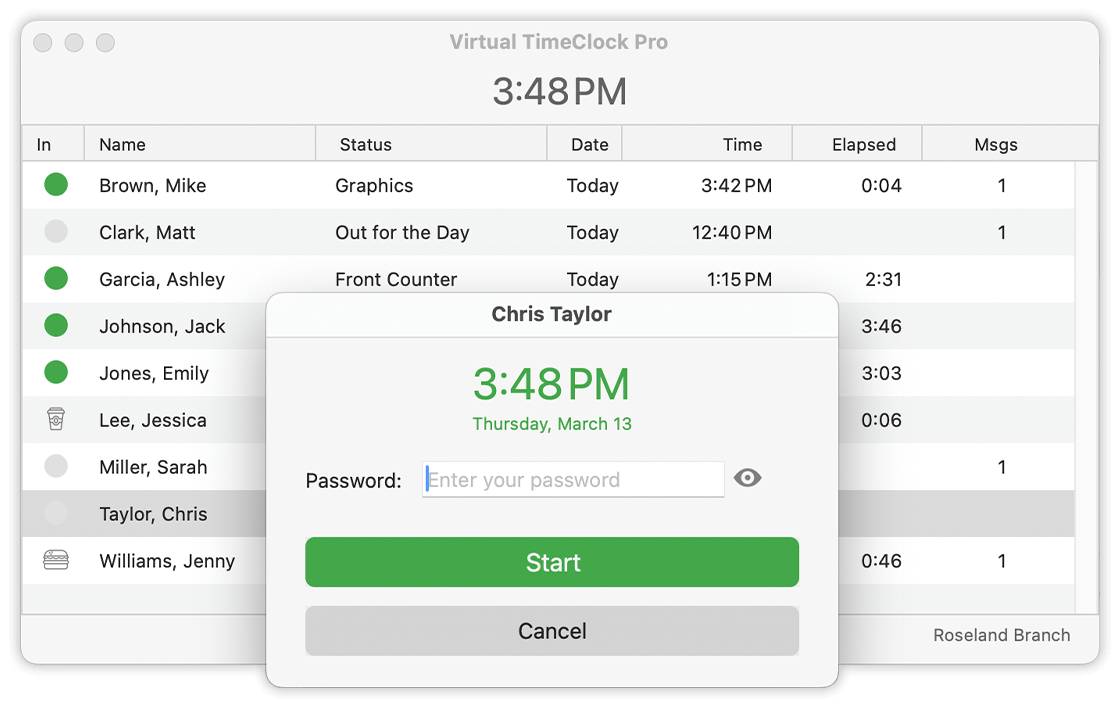
That matters because time tracking is not an occasional task. It is a daily habit. The fewer distractions and steps involved, the better.
A native time clock can also reduce numerous small points of friction that often come with browser-based tools: non-standard user interfaces, web sessions, tabs, saved passwords, browser updates, compatibility settings, pop-up permissions, printing challenges, and questions about using employee personal devices for work use.
None of those issues are impossible to manage. But for a workplace time clock, many businesses would rather avoid them entirely.
A dedicated time clock station can be a strength
Some software vendors promote the ability to clock in from anywhere as an obvious advantage. Sometimes it is. If employees are mobile, remote, or traveling between job sites, that flexibility can be important.
But many employers do not want employees clocking in from anywhere. They want employees clocking in where work begins.
A dedicated time clock station, or an installed time clock on approved workplace computers, helps reinforce that process. Employees clock in from the workplace.
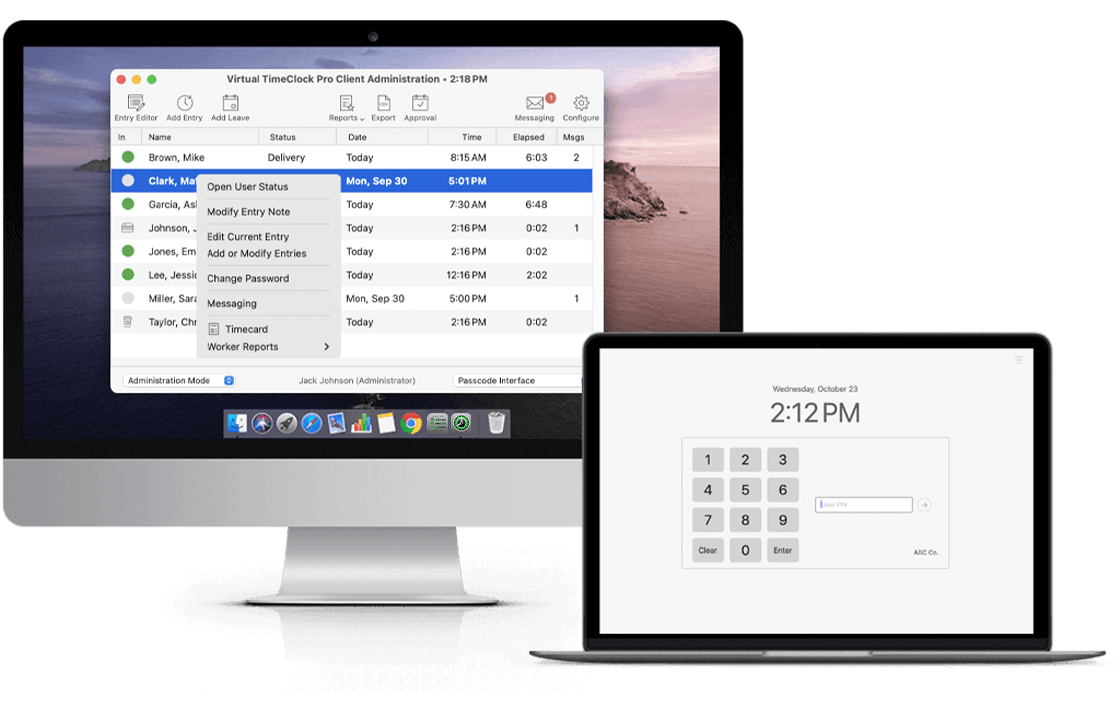
Managers know where time entries are being created. The business does not have to decide whether employees should use personal phones, shared tablets, remote browsers, or mobile location permissions.
For many businesses, this is not a limitation. It is an advantage. It is a practical and necessary control.
A shared workplace time clock, or a native time clock installed on individual employee computers, can be especially useful for:
- Medical and dental offices
- Professional offices
- Schools and Universities
- Childcare centers
- Retail shops
- Restaurants and cafés
- Warehouses and light manufacturing
- Churches and nonprofits
- Local service businesses
- Businesses with hourly employees
In these environments, a native time clock app can provide a clear, consistent place for employees to record time.
Native apps can fit the desktop environment better
A well-designed native desktop app uses familiar desktop conventions: windows, menus, printing, keyboard shortcuts, local preferences, system dialogs, and clear application boundaries. These details may sound small, but they help software feel familiar to the people using it.
That matters for time clock software because managers are not just approving a pretty dashboard. They are reviewing timecards, correcting missed punches, printing or exporting reports, and preparing payroll.
A native Mac or Windows application can support that kind of desktop workflow directly. It does not need to pretend to be a website, and it does not need to imitate a browser-based SaaS dashboard.
For a time clock, the best interface is often compact, clear, and task-focused. Employees should know exactly how to clock in and out. Managers should know exactly where to review timecards. Payroll information should be easy to find and understand.
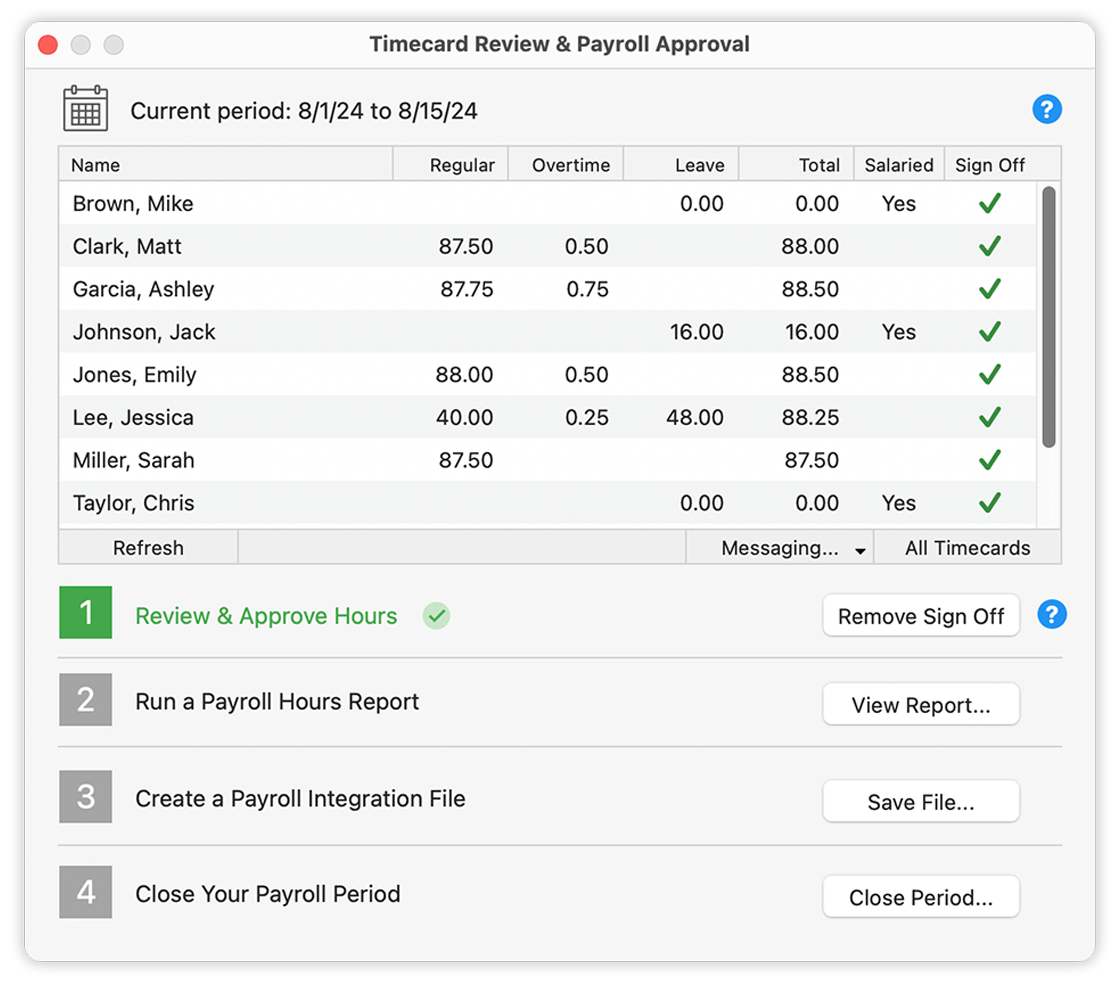
Modern design does not have to mean oversized tiles, busy dashboards, or a constantly expanding set of online modules. Sometimes modern design means removing friction from the tasks people do every day.
Browser-based software can add unnecessary complexity
A web app can be convenient, but it also brings the browser into the workflow. That can introduce practical questions:
- Which browser should employees use?
- Will the time clock stay open on a shared computer?
- Are employees using saved passwords?
- What happens when a session times out?
- Can employees access the system from personal devices?
- Are browser settings or permissions interfering with the workflow?
- Does the business need to manage mobile access for employees who work on-site?
For some companies, these issues are worth managing because remote access is essential. For others, they are unnecessary complications.
A native desktop time clock can keep the workflow simpler. The business sets up the time clock where employees need it: on a shared kiosk-style computer, individual employee workstations, or approved computers across locations. Employees use that system to record time. Managers review the records. Payroll gets prepared.
That may not sound flashy, but it is exactly what many businesses want.
Native desktop software supports modern team workflows
Choosing a native desktop time clock does not have to mean giving up team communication or multi-location support.
Some businesses need employees to clock in from more than one workplace, or managers to oversee time tracking across multiple locations. A native time clock system can still support those needs when locations are connected through business networking tools such as a VPN or secure port forwarding. In many professional offices, medical practices, dental practices, and other multi-location organizations, those networking tools may already be in place for practice management, accounting, or other line-of-business software.
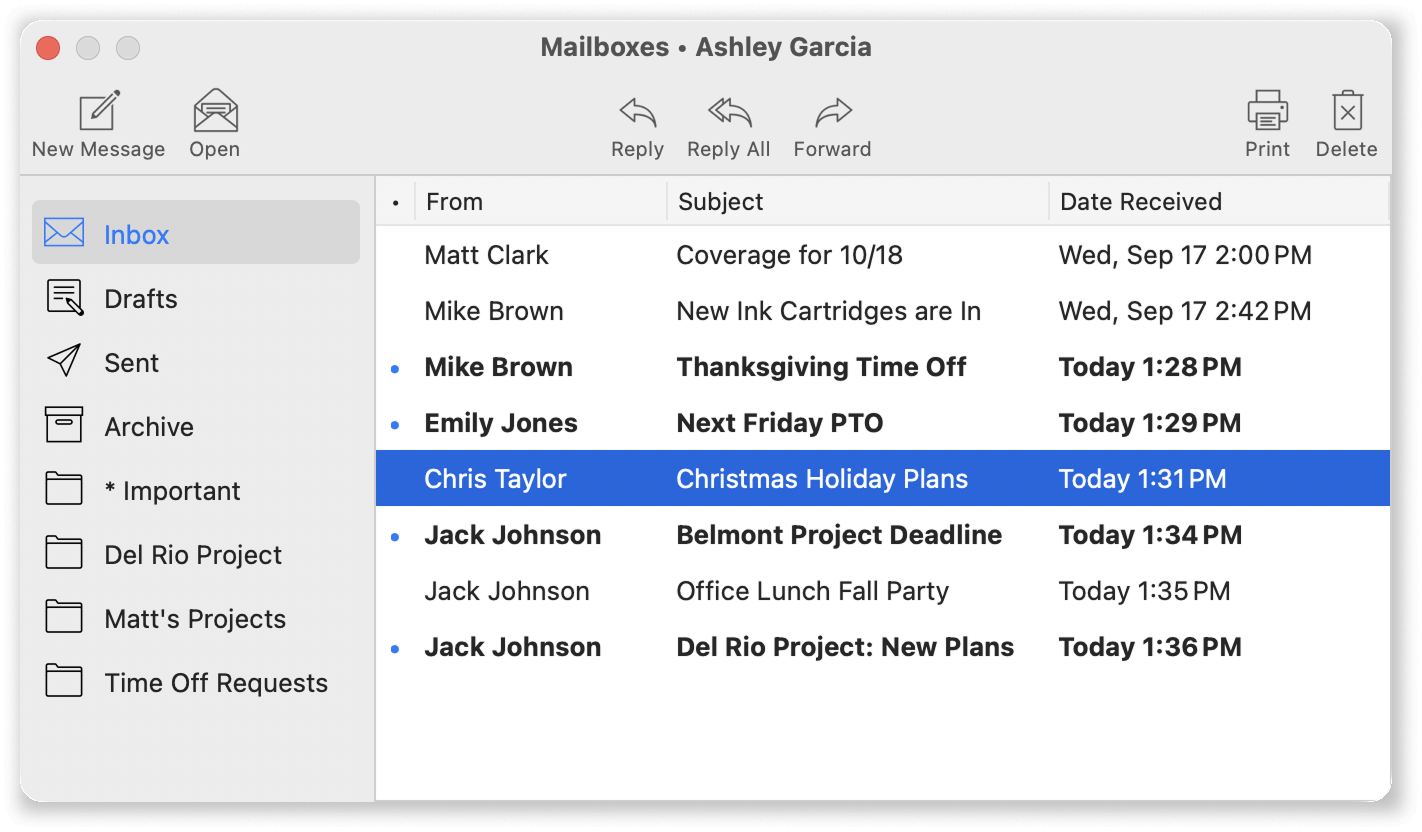 Team communication can also be part of a focused time clock workflow. A built-in messaging system allows managers and employees to share important workplace messages without turning the time clock into a full HR platform or social collaboration tool.
The point is not that every business should avoid web apps. The point is that native software can support more than a single isolated computer. For many organizations, it can provide the right combination of workplace control, multi-location access, team communication, and focused time tracking.
Focused software can be more modern than platform bloat
One of the risks of modern business software is that simple tools become broad platforms. A time clock becomes a workforce-management suite. A punch screen becomes a dashboard. A basic report becomes a module. Pricing becomes a subscription tier. Features multiply.
Some businesses benefit from that. Others just need accurate employee time tracking.
Focused software can be a better fit when the job is clear. A time clock should help employees record time, help managers review timecards, and help the business prepare payroll. If the software does that reliably, it is solving the right problem.
A native time clock app does not need to look like every other SaaS product to be modern. It needs to be well-designed for its actual purpose.
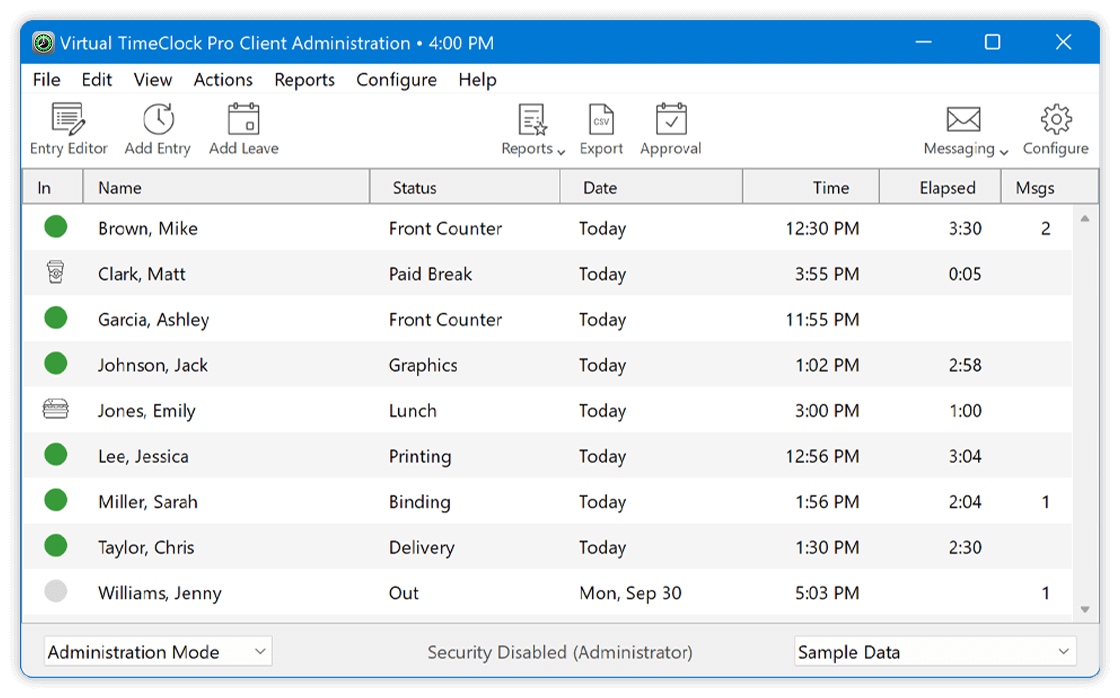
For many workplaces, the best time clock is not the one with the most add-ons. It is the one employees use correctly, managers understand, and payroll can trust.
Local control is still a valid business priority
Cloud software has many advantages, but some businesses prefer software that runs directly in their workplace. They may want more control over how the system is configured, who manages it, and how employee time records are maintained.
That preference is not outdated. It is a business decision.
Employee time records affect payroll, labor costs, compliance processes, and employee trust. Some organizations are comfortable placing that entire workflow in a cloud service. Others prefer a system that runs on their own Mac or Windows computers, or within their own local environment.
The right answer depends on the business.
Modern software should not force every organization into the same model. A company that values local control should be able to choose software that supports that priority.
Predictable cost matters too
Most web-based business software is sold by subscription. That model can be appropriate when a company needs ongoing cloud services, mobile apps, constant online access, and a broad platform.
But subscription costs continue month after month. As employee counts increase, the monthly bill often increases too. Over several years, a modest monthly charge can become a significant long-term expense.
For businesses that need a reliable time clock without a large bundle of cloud services, one-time purchase software can be a better fit. It gives owners a clearer understanding of long-term cost and avoids turning a basic workplace tool into another recurring software bill.
Cost should not be the only factor in choosing time clock software, but it should be part of the decision. Modern buyers should consider total cost of ownership, not just whether a product is presented through a web dashboard.
Native does not mean dated
It is easy to confuse “native desktop app” with “old software.” That is a mistake.
A native app can be current, clean, efficient, and thoughtfully designed. A web app can be modern and useful. It can also be bloated, confusing, or poorly matched to the job. The delivery model does not determine the quality of the product.
For a time clock, the right question is not “Is it a web app?”
The better question is:
Does it fit the way our employees actually clock in and out?
If your team works remotely, clocks in from phones, or needs location-based tracking, a web or cloud time clock may be the better choice. If your employees clock in from a shared workplace computer, a native desktop app may be simpler and more controlled.
That is not old-fashioned. That is choosing the right tool for the workflow.
When a web-based time clock is probably the better fit
A web or cloud time clock may be the best choice when:
- Employees work remotely or in the field.
- Staff need to clock in from phones.
- Managers need access from many locations.
- GPS tracking or geofencing is important.
- Scheduling and messaging need to be built into the same platform.
- The business wants a broader workforce-management system.
- Multiple locations require centralized browser-based access.
For these situations, web-based software can provide flexibility that a desktop-focused time clock may not be designed to offer.
When a native desktop time clock may be the better fit
A native Mac or Windows time clock may be the better choice when:
- Employees clock in from a shared workplace computer or approved individual workstations.
- The business wants a dedicated time clock station, individual desktop clock-ins, or both.
- Managers review timecards from the office or across connected business locations.
- Mobile punching, GPS, and broad HR features are unnecessary.
- The company values a focused time tracking workflow with practical team communication.
- Local control is important.
- Predictable long-term cost matters.
- The business prefers to avoid monthly software fees.
For these workplaces, native desktop software can be a very practical modern choice.
Virtual TimeClock: a native time clock for real workplaces
Virtual TimeClock from Redcort Software is built for businesses that want to make a one-time purchase for dependable employee time tracking without turning the time clock into another web app or monthly cloud subscription.
It runs natively on Mac and Windows and is designed around the everyday work that matters most: employees clocking in and out, managers reviewing timecards, teams communicating clearly, and businesses preparing accurate payroll records.
Virtual TimeClock is not trying to be an all-in-one HR platform. It is a focused employee time clock for workplaces that value simplicity, reliability, local control, useful employee messaging, multi-location flexibility, and predictable ownership cost.
For more than 30 years, Redcort has focused on helping businesses track employee time accurately and reliably. That focus matters. Time clock software is not something most businesses want to rethink every few months. They need a system they can trust day after day, pay period after pay period.
A time clock is not just another web app. For many workplaces, it works better as a dedicated native application. If you are evaluating Virtual TimeClock alongside web-based alternatives like QuickBooks Time, Homebase, or OnTheClock, our Virtual TimeClock comparisons page shows how they differ side by side.
Final thought
The best time clock software is not automatically the one that runs in a browser. It is the one that matches your workplace.
If your business needs mobile access, GPS, remote punching, and a broad workforce-management platform, a web-based time clock may be the right choice.
But if your employees clock in from a shared workplace computer, individual workplace computers, or connected business locations, and you want reliable Mac or Windows time clock software without monthly subscription fees, a native desktop time clock may be exactly the modern solution you need.
Modern software is not necessarily web-based. It is clear, focused, dependable software that does its job well.