Messaging with CC & BCC in Virtual TimeClock 25
This post is part of a series about new features in Virtual TimeClock 25.
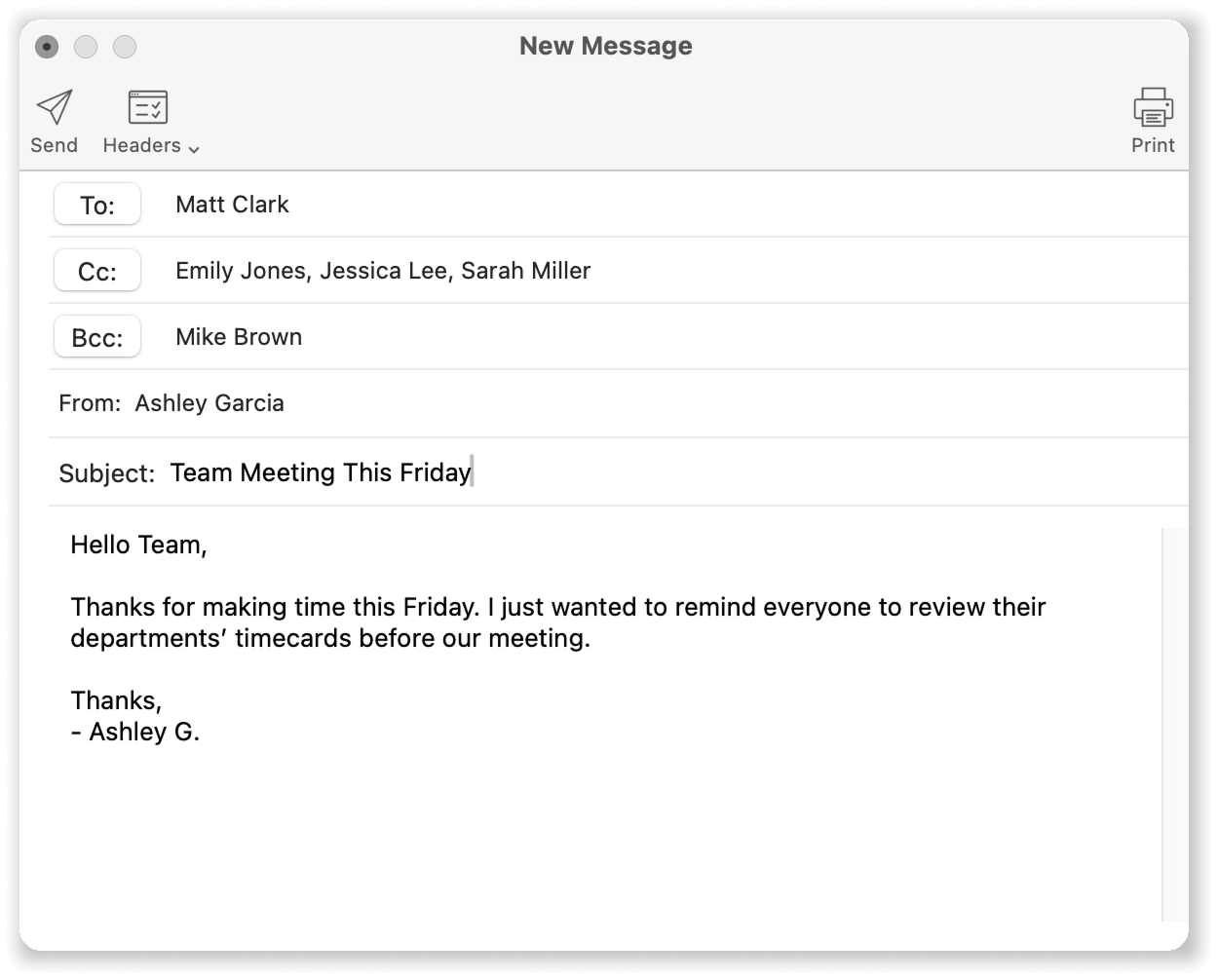
More Flexible Team Communication
Virtual TimeClock 25 enhances the built-in messaging system with Cc and Bcc recipient options, giving your team more control over how messages are shared.
These familiar email-style fields make it easier to keep the right people informed, without clutter or confusion.
Why CC & BCC are Helpful
- Keep supervisors in the loop using Cc without changing the main recipient.
- Privately copy administrators or HR with Bcc when discretion is needed.
- Send cleaner group announcements without triggering unnecessary reply-all messages.
- Maintain accountability with automatic date, time, and user stamping.
Cc and Bcc fields can be turned on directly from the message toolbar, so they’re available when you need them and hidden when you don’t.
Learn More!
Discover the latest updates included in Virtual TimeClock 25 and explore what’s new in our latest time clock release.
For a more in-depth explanation and instruction on using the messaging features available in Virtual TimeClock 25, take a look at our Knowledge Base.
Do you Have Questions?
Our California-based team would love to visit with you about Virtual TimeClock 25 or give you a demo. Reach out and contact us anytime —we’re here to help!